API Reference
An advanced feature that opens up a world of possibilities by allowing third-party services to seamlessly communicate with your Mixpost instance.
For n8n users, we have a community node available that makes it easy to integrate Mixpost with your n8n workflows. Check out n8n-nodes-mixpost on npm.
Base URL
Every endpoint lives under your own instance, at the Mixpost core path:
https://example.com/<MIXPOST_CORE_PATH>/api/*
Replace <MIXPOST_CORE_PATH> with your specified MIXPOST_CORE_PATH. If you have not altered the MIXPOST_CORE_PATH environment variable, use the default value: mixpost.
Note: For the Lite package, use the value mixpost, if this integration is supported in Lite.
Workspace endpoints are scoped by a workspace UUID, and the Enterprise admin endpoints sit under
/panel:
https://example.com/mixpost/api/<workspaceUuid>/posts   # Pro and Enterprise
https://example.com/mixpost/api/panel/workspaces        # Enterprise only
Your workspace UUID is the one in your dashboard URL when the workspace is open.
You can download the OpenAPI specification to import into Postman, Insomnia, or generate a client from.
Authentication
API endpoints are protected, and therefore require that you authenticate using an access token.
Generate a token
- Navigate to your Mixpost dashboard.
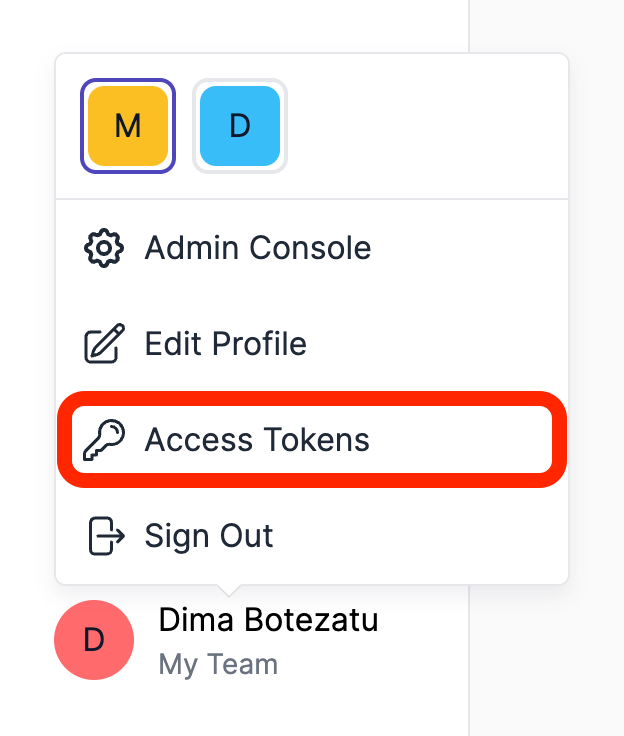
- Click on Access Tokens from user menu.
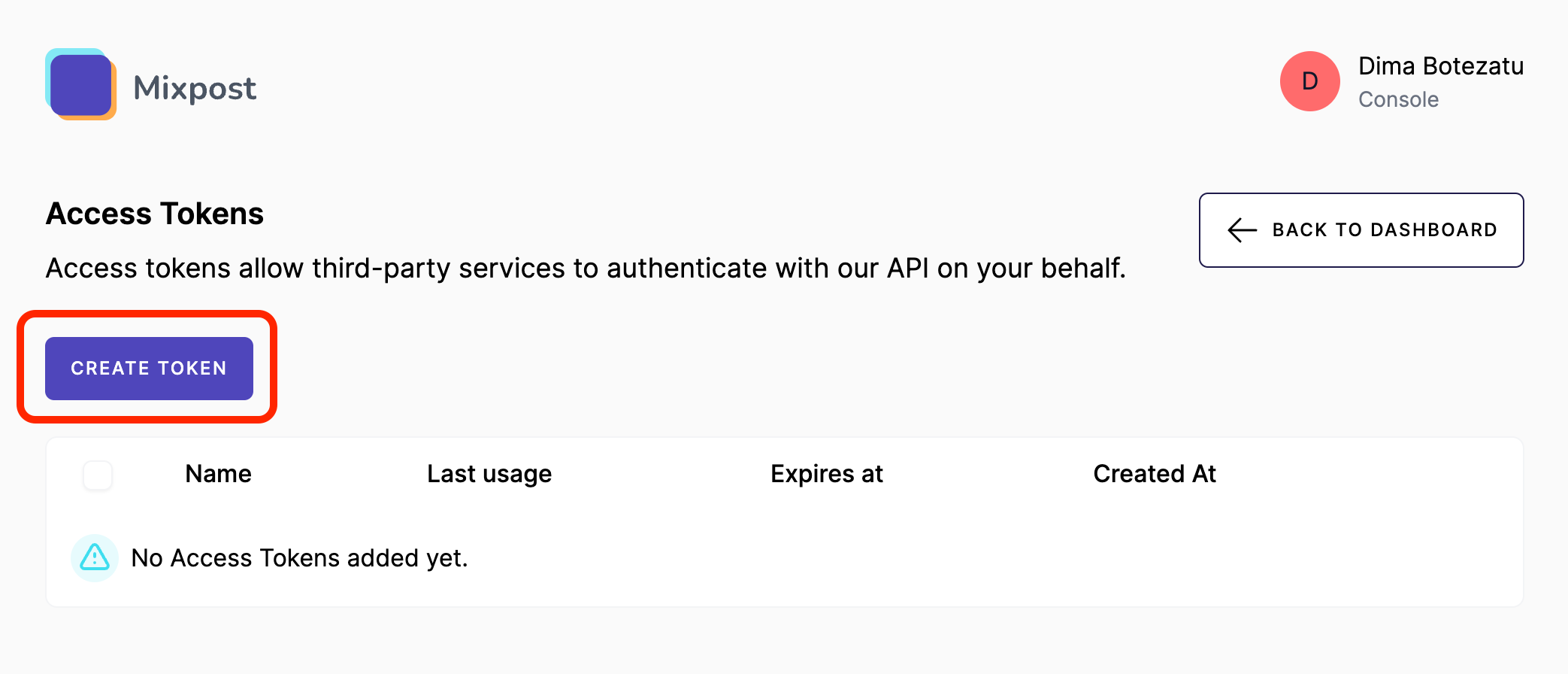
- Click on Create.
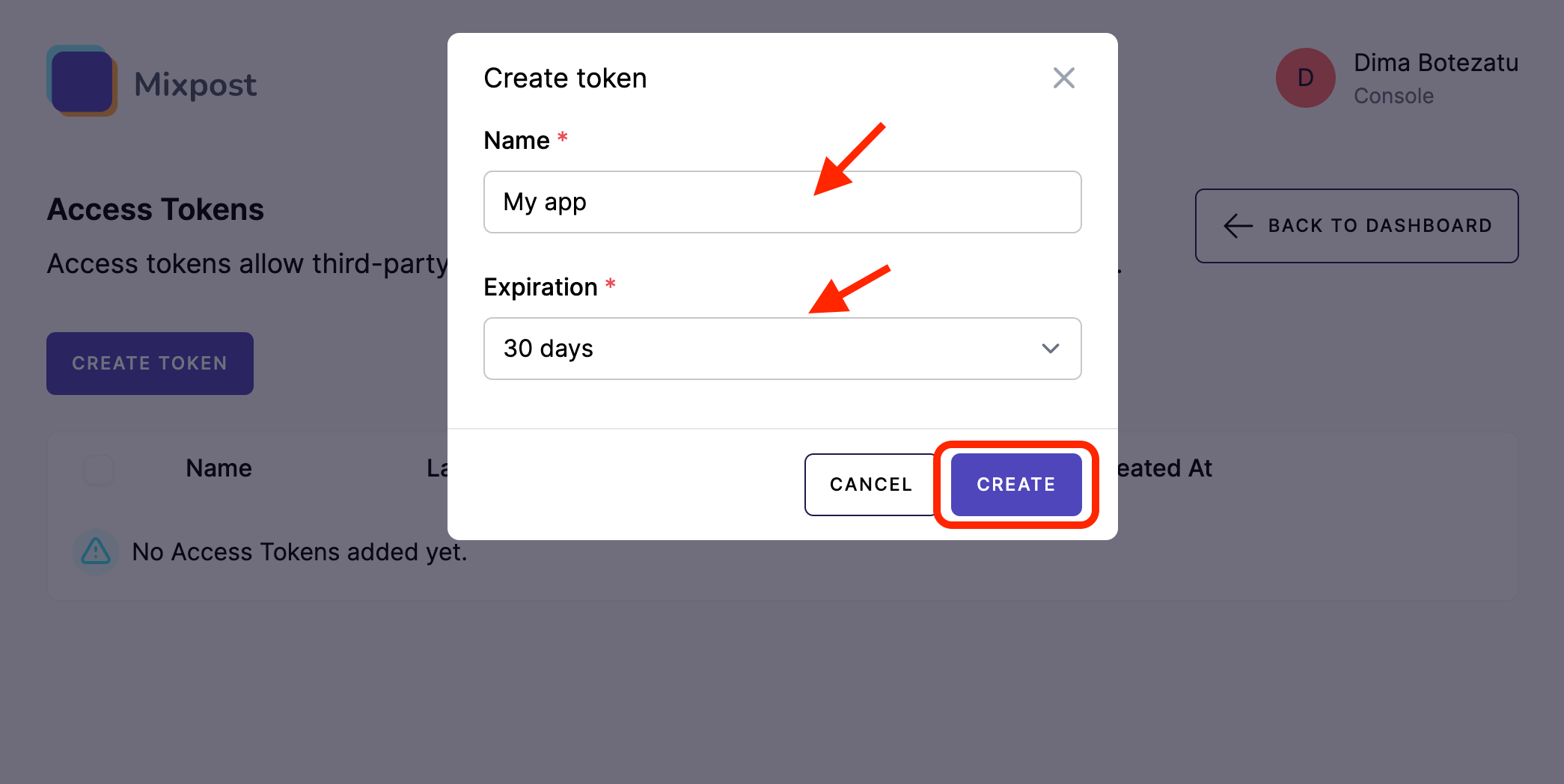
- Give it a name, then click on Create.
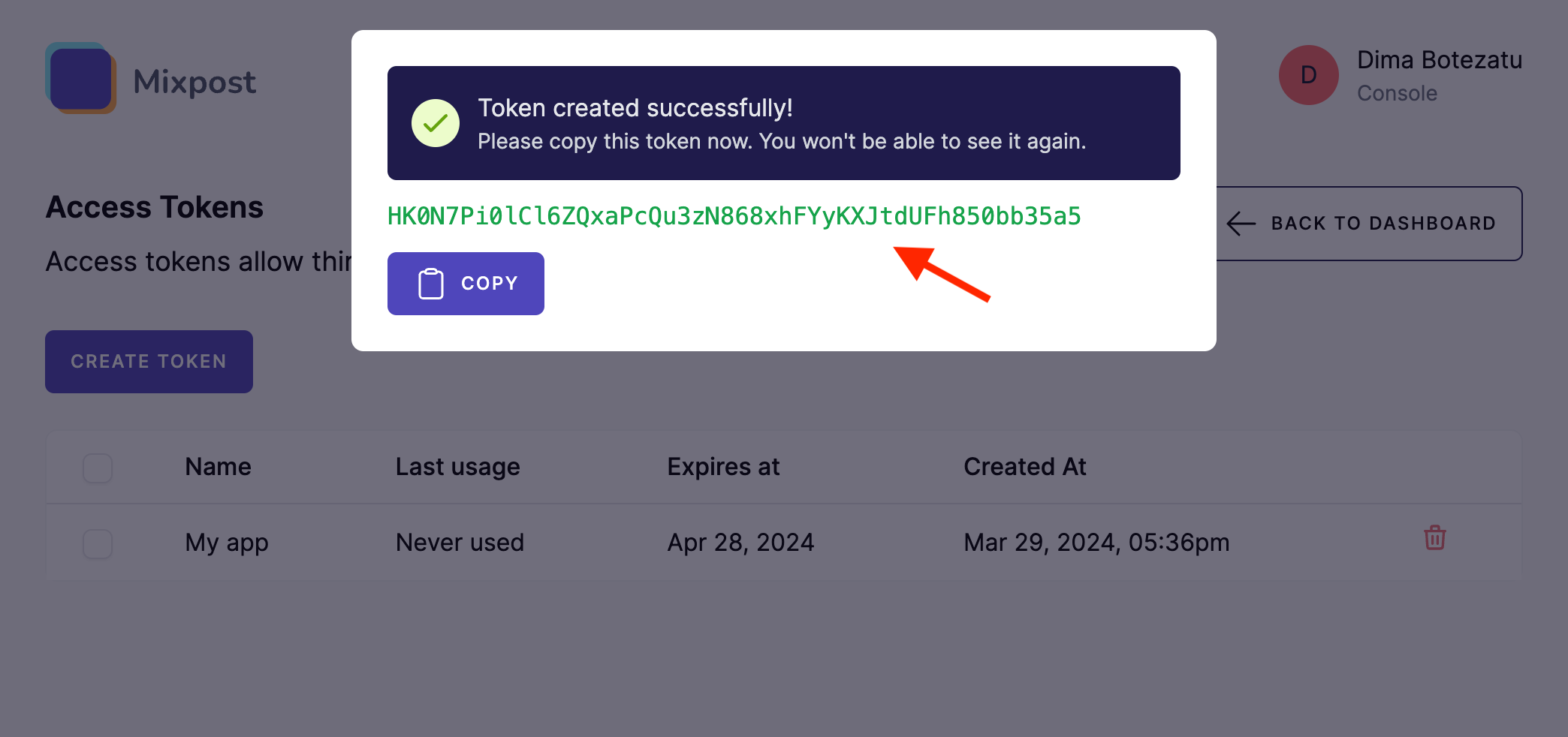
- Copy your token.
The token is shown once, at creation — Mixpost only stores a hash of it. If you lose it, create a new one.
Screenshots:
Use your token
Authenticate by adding an Authorization header to all your HTTP calls, formatted as
Authorization: Bearer <token> (replace <token> with the token you generated).
The token must be sent in that header — there is no query string, cookie, or custom-header alternative.
Example:
curl -L -X GET 'https://example.com/mixpost/api/3bbd0951-5b04-432b-b2a0-688588b0720e/accounts' \
-H 'Accept: application/json' \
-H 'Authorization: Bearer myCoolToken'
To check that a token is valid, call the health check endpoint:
curl -L -X GET 'https://example.com/mixpost/api/ping' \
-H 'Accept: application/json' \
-H 'Authorization: Bearer myCoolToken'
A valid token returns {"status":"ok"}; anything else returns 401.
What a token can do
A token carries the full authority of the user who created it. You cannot restrict a token to certain endpoints or to read-only access. What it may do is decided by that user's role in each workspace — so to limit an integration, create its token from a user whose role is already limited.
See Permissions for the full role matrix.
Tokens expire according to the expiry you pick when creating them (7, 30, 60 or 90 days, a custom
date, or never). An expired or deleted token returns 401.
Conventions
- All timestamps are UTC. The API always operates in UTC, regardless of the timezone configured for the workspace or user.
- Responses are JSON. Errors follow a consistent shape — see Errors.
- Some list endpoints paginate and some don't. See Pagination.
Enabling and disabling the API
The workspace API is controlled by the MIXPOST_API_ACCESS_TOKENS environment variable, which
defaults to true. Setting it to false unregisters the API routes entirely — calls then return a
plain 404 rather than an "API disabled" message, and the Access Tokens UI is hidden.
MIXPOST_API_ACCESS_TOKENS=false disables the workspace API, but the Enterprise /panel/* endpoints
remain routed and continue to accept any token issued earlier. New tokens cannot be created from the
UI once the flag is off.
Rate limits
Mixpost applies no rate limiting of its own. Because its API routes run inside your host Laravel
application's api middleware group, any throttling comes from that application's configuration. See
Rate limiting.